At Knight Squad Academy, we provide support through multiple online channels, and our team actively maintains our support inbox.
Recently, we noticed a few phishing attempts targeting that inbox. This is pretty common for businesses today, especially online-facing ones.
Nothing was compromised and nobody clicked anything. In this post, I’ll share what we observed, how we responded, and a few takeaways you can apply to your own support channels.
Over the past few days, our support team noticed a series of emails claiming to be related to Meta Ads compliance and policy violations. Most of these messages were correctly flagged and moved to spam, but one bypassed the filter and landed in our primary support inbox.
This isn’t unusual. Like many online businesses, we do run Meta ads, so the subject line could appear plausible at first glance. However, what immediately stood out was a clear context mismatch: our advertising operations and our support channels are completely separate. Legitimate ad-related notices typically appear inside the Meta Ads dashboard or reference specific account identifiers, not arrive as generic emails to a support address.
After opening the email, the red flags were obvious. The content was vague, relied on urgency and fear (“account restrictions,” “policy violations,” “immediate action”), and lacked concrete details such as ad IDs, business manager references, or verifiable dashboard links. The layout and wording also didn’t match legitimate Meta communications.
Since our support inbox is maintained by a small core team, including professional security experts, it didn’t take long to identify this as a phishing attempt. No links were clicked, no attachments were opened, and no information was submitted.
As similar messages continued to arrive with slight variations, we applied additional filtering rules and decided to document the experience. These campaigns don’t rely on technical exploits — they rely on looking almost legitimate. Sharing real examples and the reasoning behind identifying them can help other teams spot the same patterns faster.
This post is part of that effort.
Threat analysis: sender domains, hosting platforms, and campaign behavior
As more messages arrived, we looked beyond the email content and reviewed the sender details, headers, and linked pages to understand the broader pattern behind these phishing attempts.
Sender domains and email infrastructure
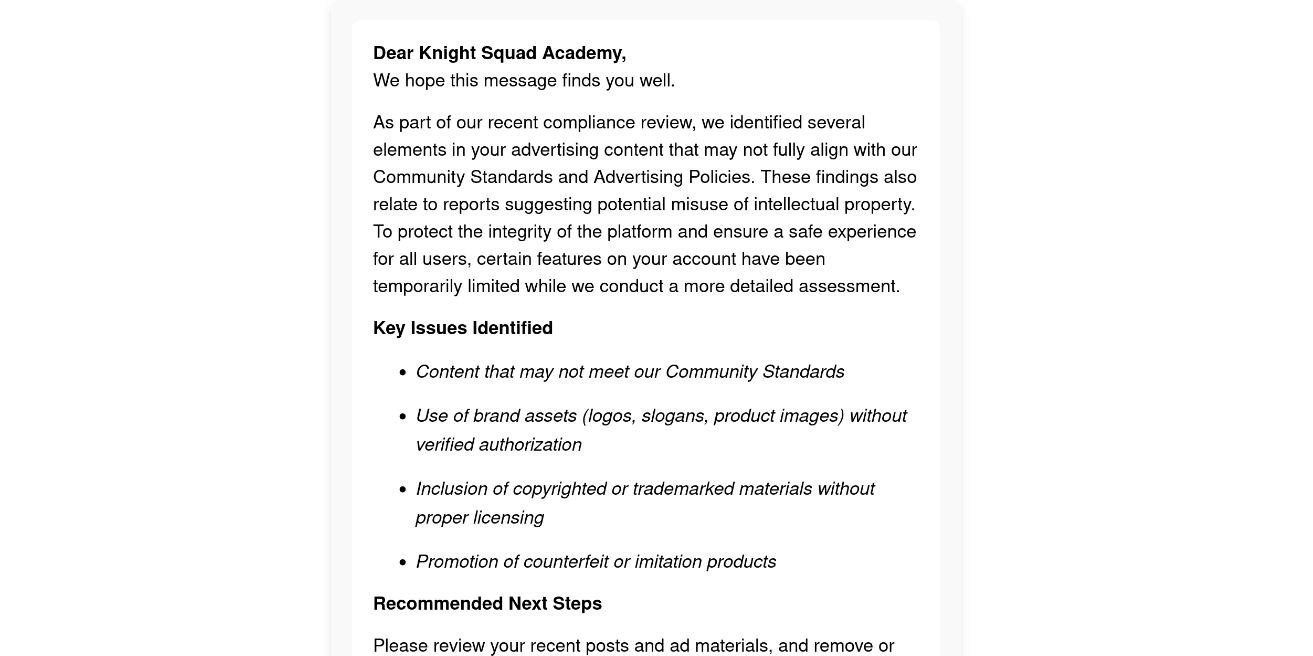 Phishing Email Content
All of the messages followed the same theme and structure, but they were sent from multiple sender identities:
- some from standard Gmail accounts,
- others from an education-style domain under
.edu.pe, specificallyayacucho.edu.pe.
Despite the different sender addresses, the wording, formatting, and intent of all messages were highly consistent. This strongly suggests a single phishing campaign or the reuse of the same templates by the same actor or group.
Header analysis showed that emails from ayacucho.edu.pe were relayed through Google mail infrastructure and included valid DKIM signatures for that domain. This indicates the messages were likely sent using Google Workspace or authenticated Gmail access, not simple SMTP spoofing.
It’s important to note that DKIM validity only confirms where the email originated from — it does not confirm legitimacy. Attackers frequently abuse or compromise accounts on reputable platforms for this exact reason.
Domain reputation signals
When we reviewed public reputation data for ayacucho.edu.pe, we found prior references associated with spam or abuse activity.
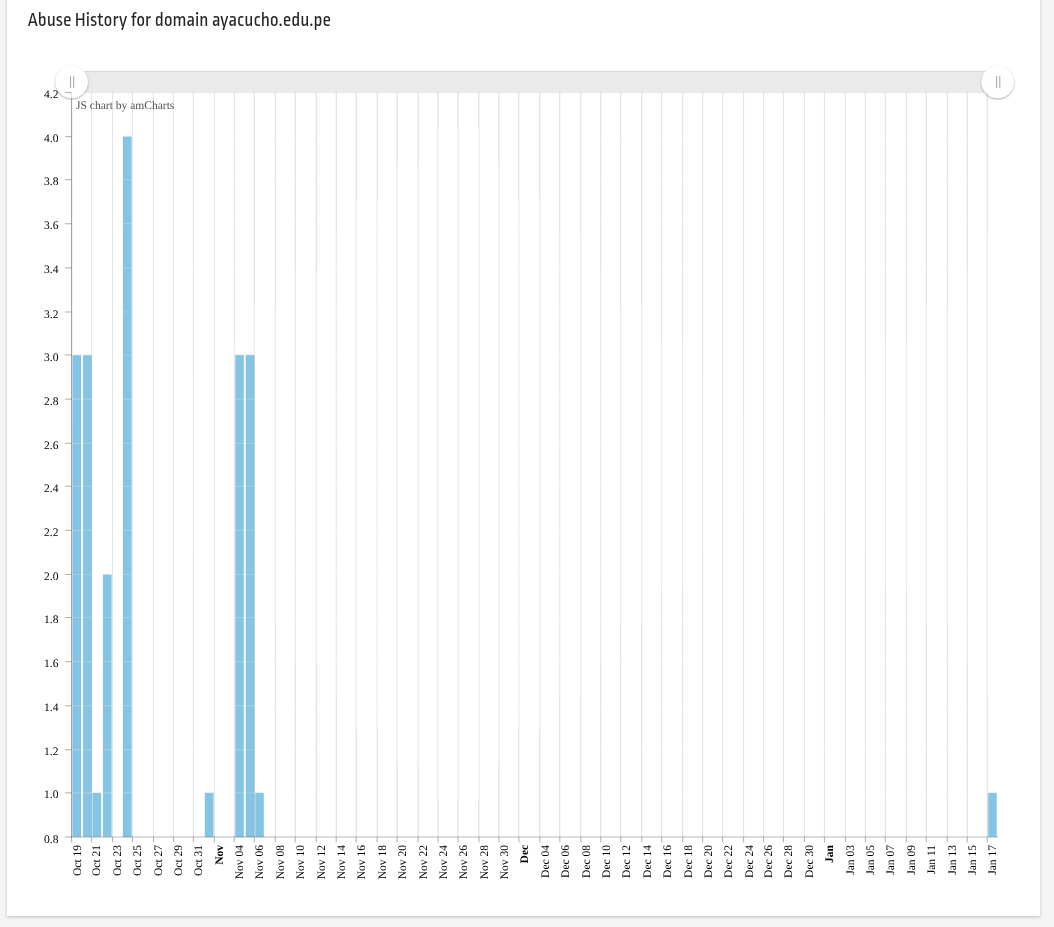 StopForumSpam Stats Can be found here : https://www.stopforumspam.com/domain/ayacucho.edu.pe
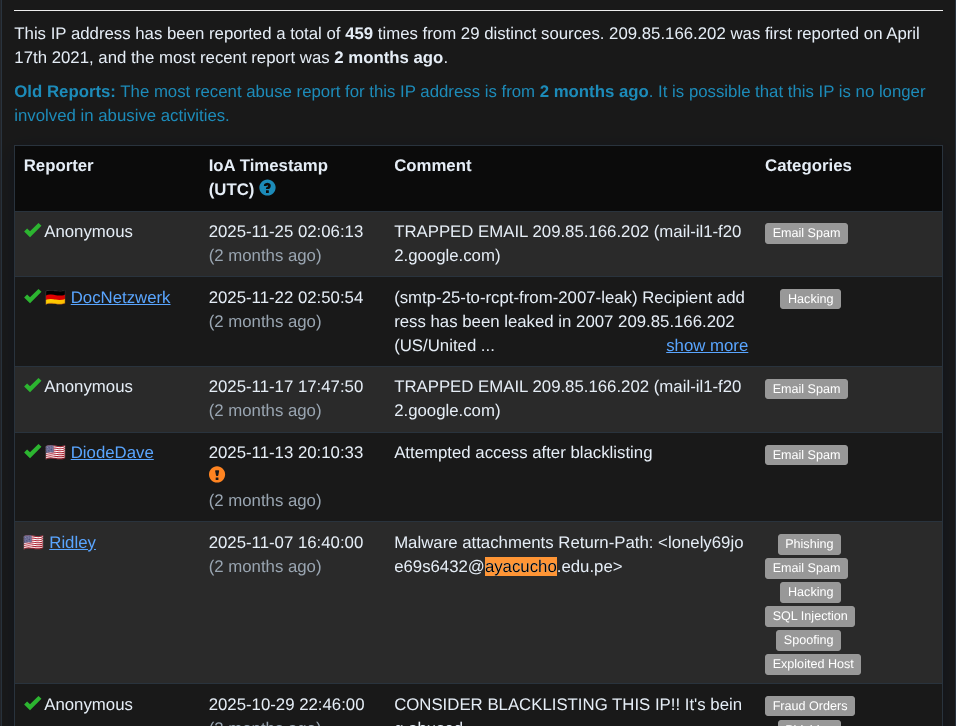 AbuseIPDB Reports can be found here : https://www.abuseipdb.com/check/209.85.166.202?page=1
This additional context reinforces what we observed in practice: the domain has likely been used for malicious email activity before.
Hosting platforms used for the phishing pages
Another consistent pattern was where the phishing links pointed. The landing pages were hosted on legitimate developer hosting platforms, including:
*.vercel.app*.pages.dev(Cloudflare Pages free domain)
Using well-known platforms with HTTPS enabled helps phishing pages appear more trustworthy and reduces suspicion, especially for non-technical users.
What the phishing page was designed to do
The linked pages themselves were designed to resemble Meta appeal or compliance review pages.
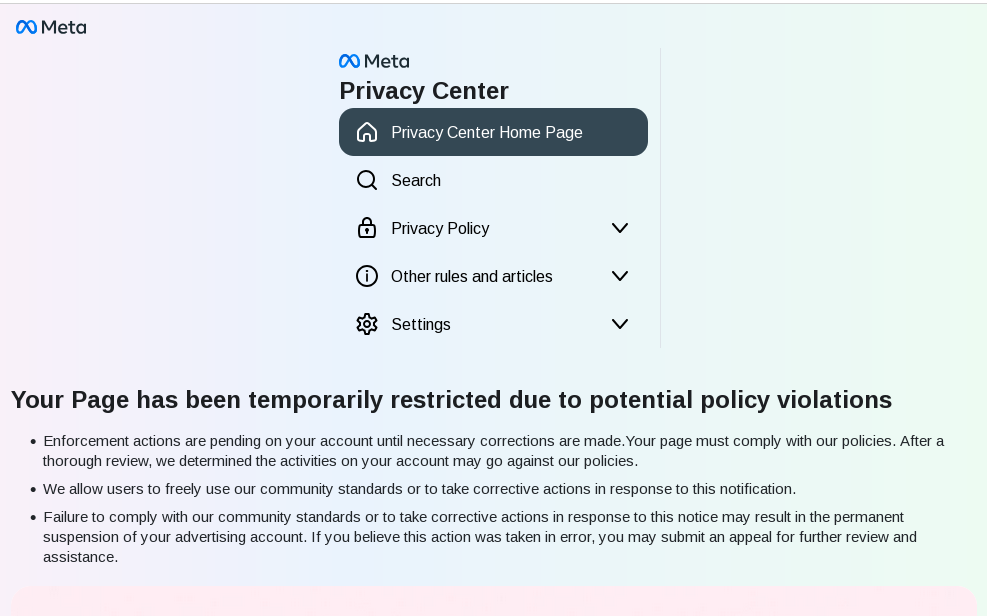
The page presented a form requesting:
- full name
- personal email address
- business email address
- mobile phone number
- Facebook page name
From a threat perspective, this appears to be information harvesting. Even without requesting passwords, collecting this data allows attackers to:
- build detailed profiles,
- target victims through follow-up phishing or phone calls,
- attempt account recovery or impersonation attacks later.
This kind of data collection is often an early stage in a broader phishing or social engineering workflow.
Why this matters
None of these messages relied on technical vulnerabilities. Instead, they combined:
- realistic business context,
- fear-driven language,
- trusted email infrastructure,
- and reputable hosting platforms.
That combination is increasingly common — and it’s exactly why awareness and process matter just as much as technical defenses.
Final thoughts
None of the messages we received were technically sophisticated. What made them effective was how closely they imitated real business workflows and how much they relied on human trust rather than software flaws.
In our consulting work with agencies and organizations, this is exactly why we strongly recommend regular security awareness training. Email security tools and filters are important, but they are not enough on their own. The final decision still comes down to a human reading a message and deciding whether to trust it.
Teams that lack security awareness are far more likely to fall for this kind of attack — especially when the email appears relevant, urgent, and “almost legitimate.” On the other hand, teams that understand common phishing patterns tend to spot these attempts quickly and respond calmly.
Phishing will continue to evolve, but reducing human error through awareness, clear internal processes, and regular discussion of real-world examples remains one of the most effective defenses.